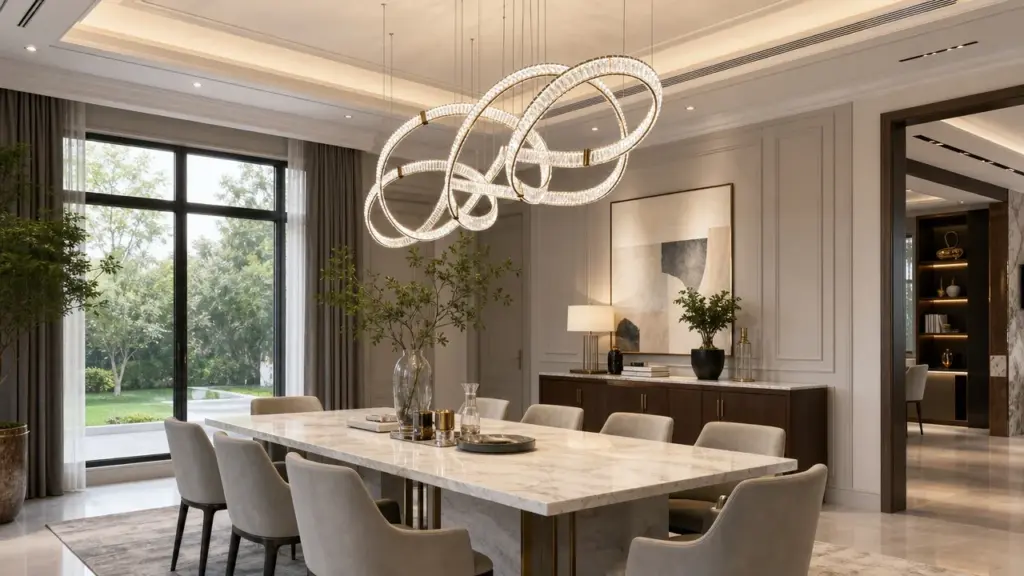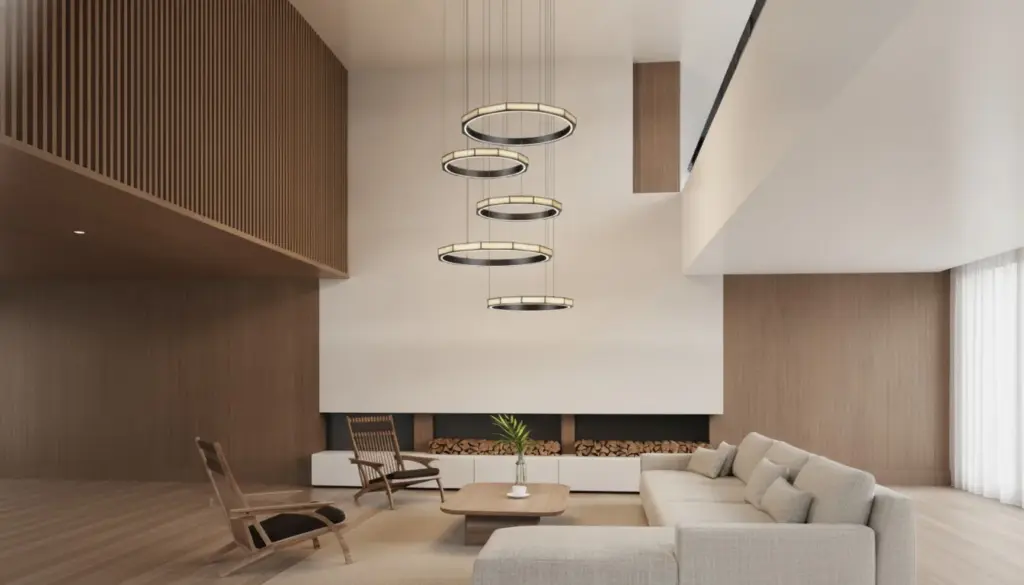
A villa lighting package becomes manageable when every decorative fixture has both a room allocation and a defined product identity. Start with one whole-home decorative lighting schedule linking locations, visual roles, fixture types, dimensions, finishes, quantities, budget and approvals. Then attach the drawings and samples that explain those entries. A collection of attractive product images cannot tell the purchaser which variant goes where, which decisions remain open, or whether the quoted total includes everything selected. The schedule should answer those questions before the purchase is released.
Coordinate the Purchase Without Making Every Room Identical
A whole-home package can accommodate different fixtures in different rooms. Coordination means reviewing them against shared design intent and a common purchase record, rather than repeating one chandelier family throughout the villa. An entrance pendant may establish the first impression; dining lighting may relate closely to the table; bedroom lamps may need a quieter presence. Their roles can differ while materials, proportions or light appearance provide continuity.
Agree what belongs in the decorative package before selecting products. Include or explicitly exclude wall lights, portable lamps, outdoor decorative fittings, supplied lamps and control accessories. Record who provides architectural downlights, concealed lighting and electrical installation. The decorative schedule must connect with that wider design without implying that selecting decorative fittings completes the electrical or lighting design.
Give one person responsibility for maintaining the package record. Designers, owners, suppliers and contractors can each approve different aspects, but parallel spreadsheets with different revisions make those decisions difficult to trace. Identify the current issue, its purpose and the person collecting changes. A single maintained record can then show both a coordinated direction and unresolved room-specific questions.
- Keep each room position and installed quantity visible, with an identifier linking it to the exact supplied variant.
- Review size, finish, light source and control interfaces before treating a visual selection as ready to order.
- Separate design approval, technical review and commercial release; assign an owner and next action to unresolved items.
Start With Rooms, Positions and Visual Priorities
Begin with the current floor plan, furniture layout and ceiling information. The Australian government’s YourHome lighting guidance distinguishes lighting a room from lighting a particular task or feature, and relates choices to activities and atmosphere. That is useful design context here, rather than an Australian compliance requirement for villas in other markets. Write the intended role beside each decorative position so the fixture is selected for a purpose.
Use room and position references that can be found on a drawing: for example, dining pendant over table, entrance pendant within the void, or living wall lights beside the seating. Avoid using “large chandelier” as the location identifier. If a room contains several positions, give each a separate allocation row. Mark a tentative furniture arrangement as tentative; the schedule should not make an unresolved table location appear settled.
Next identify the views that connect spaces. An entrance seen from the stair landing and a living room visible through an open doorway may need review together. Compare silhouette, apparent weight and finish in those views. This does not require every fitting to match, but it gives the designer a reason for choosing contrast or continuity instead of relying on separate room mood boards.
Gather the missing inputs before asking suppliers for a complete package quotation. A useful starting brief contains annotated plans, ceiling heights, furniture references, room priorities and the known budget basis. The lighting specification and procurement resources can help organize the questions; the project’s own drawings and decisions must supply the answers.
Build the Schedule Around Decisions, Not Product Pictures
Use the following field map as a starting template, adding columns where the project needs separate ownership or evidence. A picture can sit beside a row, but each selection still needs a traceable type, supplier reference and approval state. Keep unknowns visible as “to confirm” with an owner and next action. An empty cell is ambiguous: it may mean omitted, excluded, undecided or simply not recorded.
| Field group | Enter for each allocation or linked type | What to confirm |
|---|---|---|
| Room and position | [Room / drawing reference / position] | Current layout and revision |
| Visual role | [Focal / supporting / task-related / other] | Relationship to furniture and adjacent views |
| Fixture identity | [Type ID / supplier / exact model or drawing] | Orderable variant, not only family name |
| Dimensions | [Body size / overall drop / canopy / units] | Applicable drawing and unresolved dimensions |
| Finish and sample | [Finish reference / sample ID / approval] | Which sample and surface the decision covers |
| Quantity and scope | [Installed quantity / separate spares / inclusions] | Count basis and who supplies accessories |
| Light and controls | [Light source / output reference / CCT / control] | Exact proposed combination and reviewer |
| Budget and approval | [Allowance / quote revision / approval states] | Currency, exclusions, approver and open action |
Attach the product documentation needed for its intended location and market. UL’s marking and application guides help assess the suitability of UL-certified equipment using its markings and intended application. The practical point is to request evidence for the actual supplied product and installation, rather than treating a brand name as proof. UL certification is not asserted here for Kinglong products or prescribed as a universal requirement.
Split design approval from technical review and commercial release. A finish can be approved while its suspension detail remains open; a quotation can be accepted in principle while quantities await the revised plan. Record the approver, date and evidence reference for each decision. This gives a purchaser a usable explanation of “pending” instead of a single green cell that hides several unfinished reviews.
For supplier input, Kinglong’s published villa lighting service describes reviewing floor plans, ceiling height, mood and budget, with physical sample or detail review and installation documentation in its bespoke process. Confirm which deliverables are included in the actual enquiry. A published service description does not establish the dimensions, approvals or supply responsibilities of a particular villa.
Separate Room Quantities From Fixture-Type Definitions
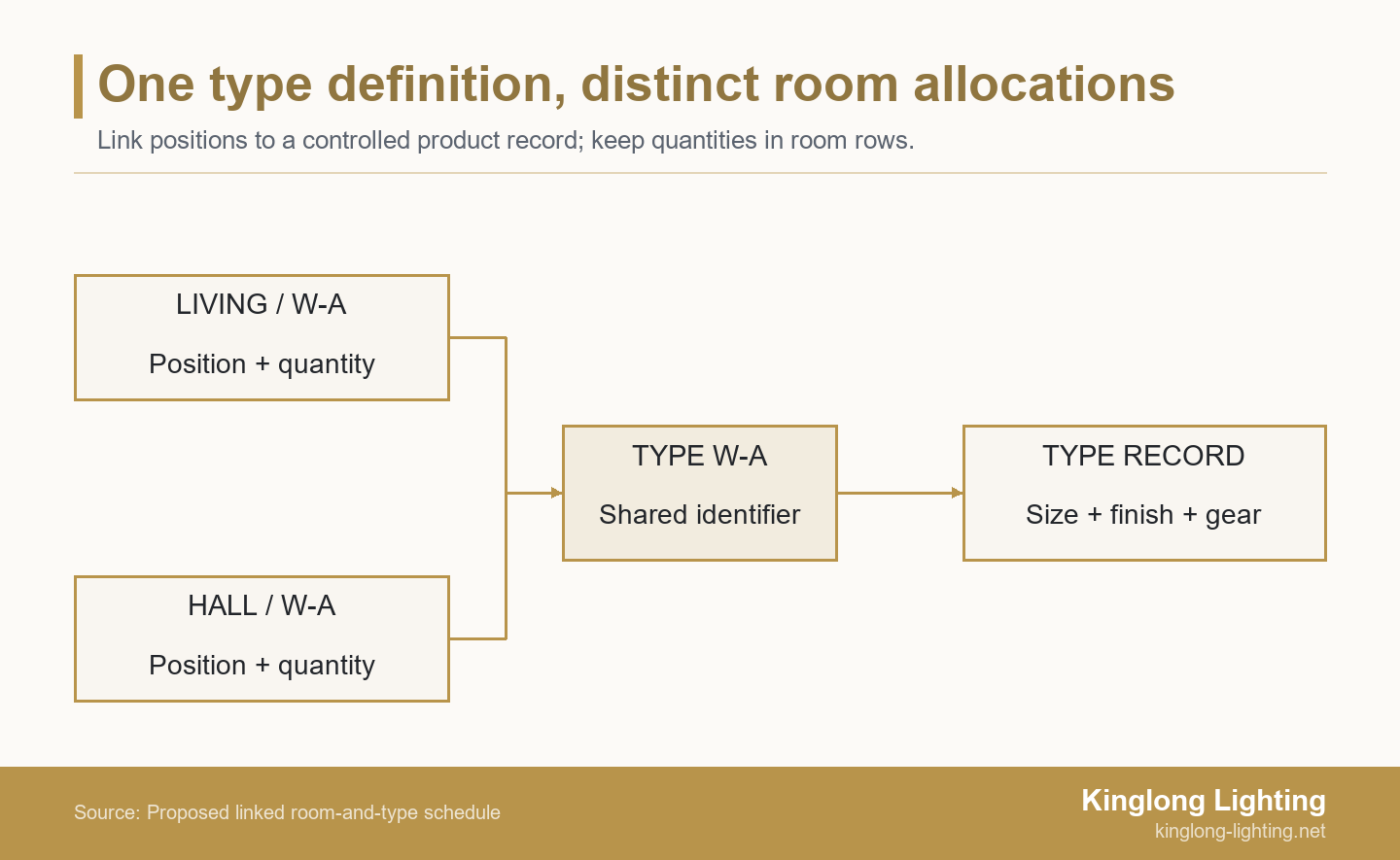
A fixture type is the controlled definition of one orderable variant. It should identify the product or approved drawing, size, finish, light source and relevant supplied gear. A room allocation tells you where that type is used and how many units belong there. Keeping these two records linked makes repeated fittings easier to count without repeating, and potentially contradicting, the same technical description across several rooms.
Autodesk’s Revit documentation distinguishes parameters associated with placed lighting instances and lighting types. That software distinction illustrates the record structure; it does not require the villa team to use Revit. A spreadsheet with separate allocation and type tabs can serve the same coordination purpose if the references remain consistent.
For example, a living-room row and a hall row can both reference type W-A. The room rows retain their separate quantities, while the W-A record holds the shared product definition. If that definition changes, review every placement referencing it. If only the hall needs a different size or finish, give that variant a distinct identifier instead of silently changing W-A for the whole package.
Check images against the exact variant rather than the family name alone. A shorter body, different canopy or alternative glass can change the visual result even when the catalogue collection is unchanged. Keep the selected view with its model code and revision, and label reference photographs separately so procurement can distinguish inspiration from the actual product evidence used to approve the proposed variant. The decorative-lighting project portfolio can help compare installed contexts, but a project photograph cannot replace the drawing and sample references defining the selected product.
Resolve Size, Light and Control Interfaces Together
Record dimensions with units and a clear measurement basis. Body height, overall suspension drop and clearance above a surface are different values. Identify the ceiling or finished-floor reference on the drawing, and retain adjustable ranges only where the supplier confirms them. Ask the responsible designer and installer to resolve furniture alignment, mounting support, canopy coverage and maintenance access. Do not release a pendant on the assumption that its drop can always be shortened on site.
Keep the appearance of the metal finish separate from the appearance of its light. CCT means correlated color temperature and describes the shade of white light. The US Department of Energy’s (DOE) LED guidance distinguishes color appearance from how a source renders the colors of objects. Equal CCT labels alone therefore do not establish that neighboring products will look alike. Record the relevant light-source data and review samples or mock-ups where visual consistency matters.
A “dimmable” tick also needs an identified combination. In its specific Maestro LED+ Dual Control guidance, Lutron identifies dimmer and LED-lamp incompatibility as a possible cause of flicker or buzzing when dimmed. That is a bounded manufacturer example, not a test result for every driver or Kinglong fixture. Record the proposed lamp or driver, control model and compatibility evidence, with unresolved combinations assigned to the responsible technical reviewer.
For wet locations, exterior positions or other special conditions, obtain product-specific suitability documentation and the applicable local review. Decorative appearance alone cannot establish that suitability. Keep these questions alongside the fixture selection so a late technical rejection is visible as a package change. Electrical design, safe installation and any site testing belong with appropriately qualified professionals and the applicable manufacturer instructions.
Compare Budget and Approval Status Across the Whole Package
Keep the design allowance, supplier quotation and approved purchase value separate. An allowance is a planning figure; a quotation describes a particular offer and scope; a released purchase records an authorized commitment. For each figure, state currency and whether freight, tax, installation, lamps, drivers, controls and spares are included, excluded or priced elsewhere. Totals are comparable only when their scope is understandable.
Build the roll-up from quantities in the allocation rows. If W-A appears in both living room and hall, sum those installed quantities once, then show any spare units separately. Where different suppliers quote alternatives, retain each alternative’s exact variant and quote revision. Do not combine the lower price of one option with the dimensions or finish approval of another and present it as a confirmed selection.
When the package exceeds its allowance, review the rooms and visual priorities before substituting products. A less prominent fitting might offer flexibility, while an entrance feature may carry more of the intended identity. The decorative-lighting value engineering guide provides a useful basis for comparing a proposed change. Bring the revised size, finish, light source, supplied scope and approval implications back into the schedule.
Use specific status labels such as “design approved; control review pending” or “quoted; finish sample pending.” Agree who can release an order and which evidence they need. A package total below the allowance does not settle technical questions, and a signed finish sample does not authorize every commercial exclusion. The schedule works when each status leads to a clear next action rather than another round of interpretation.
Review a Villa Package Before Issuing the Purchase
Consider this illustrative allocation extract, not a completed Kinglong project or a product recommendation. The codes and quantities demonstrate how the record works. Full dimensions, finish references, supplier codes, prices and technical documents would sit in the linked type records. “Confirmed” below describes only the stated design decision, not permission to place an order.
| Room / position | Role | Type / installed qty | Decision or open item |
|---|---|---|---|
| Entrance / void | Arrival feature | P-A / 1 | Design direction confirmed; mounting review open |
| Dining / table | Table focal point | P-B / 1 | Table position pending; pendant size on hold |
| Living / wall pair | Supporting light | W-A / 2 | Shared type definition; finish sample pending |
| Hall / wall | Visual continuity | W-A / 1 | Same type; check mounting position separately |
| Stair / void | Vertical connection | P-C / 1 | Overall drop and maintenance access pending |
Start the review with dining. Because the table position is unsettled, the pendant’s alignment and dimensions remain open. Assign the furniture-layout decision to its owner, keep P-B on hold and identify the drawing that must change. Other confirmed room decisions remain identifiable, but this does not release their orders automatically: entrance mounting and W-A finish approval still have their own open actions.
Now total W-A: two living-room units plus one hall unit gives three installed units. If the hall later requires a different projection, create a new type for that variant and reallocate its single unit. Recalculate both type totals and review the revised quotation. This short trial checks whether the schedule can follow a real selection change without confusing room quantities, product definitions and approval history.
Issue One Traceable Package With Explicit Open Items
Issue the schedule with its applicable type records, referenced drawings, sample register and quotation basis. Give the package a revision, date, purpose and recipient list. Identify superseded documents, and retain a change note explaining which rooms or types moved and why. Recipients should be able to find the information used for the current decision without reconstructing it from messages.
Before commercial release, check that every in-scope position has a row; allocation totals agree with the type quantities; orderable supplier references are complete; dimensions and finish references point to the right revisions; and technical and commercial approvals are explicit. Keep remaining open items with an owner, required evidence and next action. If a partial order is authorized, identify exactly which types and quantities it covers and which remain held.
Share the same controlled issue with procurement and the relevant design and installation team. A supplier substitution or site change should return through that record, with affected placements reviewed before acceptance. The schedule remains useful after ordering because it connects the purchased variant to its intended room, instead of leaving the site team with a catalogue image and an unexplained quantity.
To review the villa lighting brief with Kinglong, prepare the current room schedule, layout references, intended visual direction and clearly marked open questions. Ask which product options, samples and supplied documentation are available for that scope. A useful supplier discussion should resolve identifiable decisions in the package while keeping responsibility for project design, installation and order release explicit.
Frequently Asked Questions
Does one coordinated package mean using one fixture family everywhere?
A coordinated package can contain different fixture families as long as their room roles, shared references and interfaces are reviewed together. Establish the intended continuity through proportion, material, finish or light appearance, then assess deliberate contrasts in the views connecting the rooms.
Can portable lamps be included in the same schedule?
Include portable lamps if they are part of the purchase scope, while keeping their quantities, power connections and supply responsibilities identifiable. Distinguish the lamp from any separately supplied light source or accessory, and coordinate its intended position with furniture and accessible power.
Should spare components be counted as installed room quantities?
Keep spare components separate from installed quantities so the room allocation and purchase total remain understandable and can be checked independently. Identify the compatible type or variant and the storage or handover responsibility. Spares should not inflate the apparent number of installed fixtures.
Can the owner approve the package remotely from renderings alone?
Renderings can support remote decisions, but they do not by themselves confirm finish samples, actual dimensions, product compatibility or readiness to order. Record what the owner approved and which physical or technical evidence remains outstanding before treating the package as released.